@gregead you don’t have a subscription with us.
If you liked Challenge 1 and you’d like to continue on, just go to https://www.saysomethingin.com/subscriptions or select ‘Subscription’ from the menu at the top of the website and you’ll be able to subscribe there.
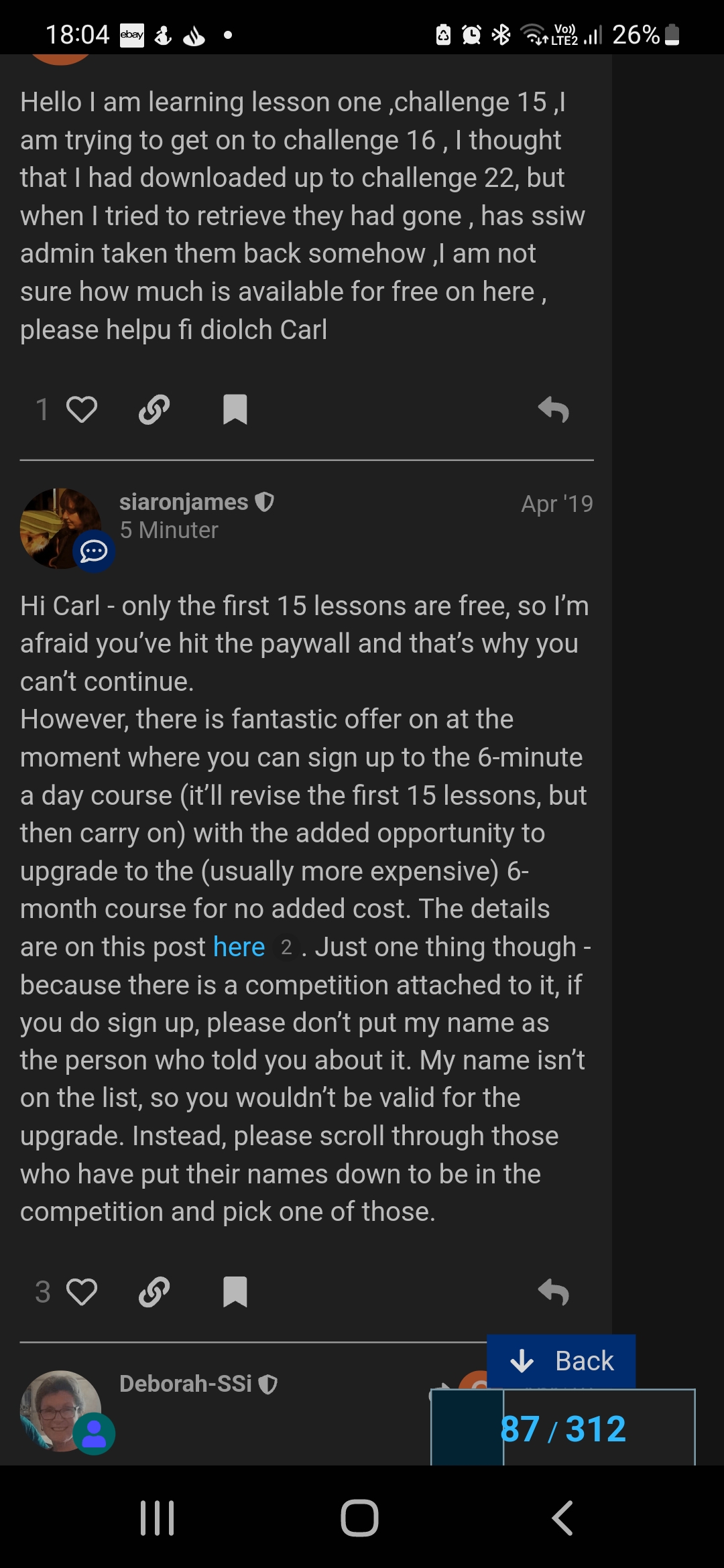
But why do I have to pay? There are several posts on different threads on forum that say Course 1 is free! I attach a screenshot as proof.
No offence but I do not think £10 a month is a good price to pay for a Free Welsh language course. Please respond.
Kind Regards,
Greg
The forum dates back several years so some of the information is by now outdated and the first 15 lessons are no longer free.
Here is the post (from 2020 - your screenshot pre-dates this) explaining the end of the free content The (almost) end of 'free' SSiW
2 Likes
There is a lot more available now than when the lessons were free. By registering for the 6 Minutes a Day course at no extra charge, you have the possibility of participating in online group sessions with a tutor every day Monday to Friday. That alone is worth more than £10 a month.
2 Likes
Haia - is anyone using the SSiW app on Android?
I’ve just changed over from iphone where the app worked fine. I’ve downloaded two apps, SSiWelsh which I was using previously, and another which is SaySomethingin.
The former crashes after logging in, and the latter, well I can’t find the content I was working on before (New course advanced, and old course level 3).
Phone is a Pixel 9 on Android 15.
Any suggestions welcome. I mostly do the lessons in the car or walking to work so need a mobile solution really!
1 Like
SSiWelsh was an older app and not official, nor I think supported by anyone now - my phone refused to download it at all - so the new app made by the SSi team now won’t know anything about progress saved there.
For the new app, the continuous learning stream part won’t know anything about your progress either because it works differently from the courses/challenges, but you can find the advanced content by going to Account > My Resources > Advanced Content. The old courses are found at Account > My Resources > Original Courses.
(If the app doesn’t know anything about you at the moment you will first need to set it up with “I speak English” and “I want to learn Welsh - South/North” to get it to offer you the correct resources options.)
Or you can just go on the website. That’s what the app links to anyway. Then you can play the files straight off, or download them for offline use, depending on your WiFi & Data usage preferences. Links below for convenience.
Old Course Level 3
Advanced Content
Kaixo @robert-john-summers! Aspaldiko!
As Verity has explained, the SaySomethinginWelsh Android app is beyond its Use By date, and we’re in the process of getting it removed from the Play Store. That, and its iPhone equivalent, were really just easy ways to access and download the audio files, which you can do from the website, saving them as mp3 files on your phone to use offline.
The new SaySomethingin app acts as a portal to all of our learning material. It opens up in the latest methodology, but also as Verity mentioned, going to ‘Account’ then ‘My Resources’ gives you links to all of the older audio files on the website, then you can download them from there.
Ongi izan!
1 Like
Diolch @verity-davey @Deborah-SSi
Bechod! O’n i’n rili licio’r hen ap haha
Okay so I’ll try playing the downloaded content on a music player app. The advanced chats are straightforward but in lessons I like to use the button on the steering wheel, or headphones if I’m walking, to repeat a prompt (the further you get through the course with the longer sentences, the harder it is to remember what Aran said  ) and the old app worked well for that. A single click takes you back to the beginning of his prompt.
Nadolig llawen mawr i chi!
2 Likes
Prawf gyflym, appears to work. Ffwr â ni! (car wedi’i stopio yn y llun wrth gwrs!)
2 Likes
Sut mae, am on Android, using Automagic. Has it already been reported that the start of some words at the beginning of a sentence are cut in half? That is the first part of the first word is missing? Apologies if you are already aware of this. Has affected a lot of sentences, not in just one part but throughout, am 23 hours in so far. Wasn’t going to mention it but saw this topic and thought I may as well!
Helo @catherine-evans-3, we haven’t had anyone else report that, so we’ll need to work out what’s happening in your situation.
Which language course are you doing? And is it the latest SaySomethingin app with the coloured belts, or the automagic.saysomethingin.com prototype which runs in a web browser?
If you could send that information through to admin@saysomethingin.com, we’ll be able to investigate for you.
This was an issue mentioned at some point in the snagging of the new app, but for the life of me I can’t find the thread with it in.
I have experienced it recently, with the Irish beta, but only when I have my phone plugged (literally) into an otherwise Bluetooth speaker. Basically, there was an Android-with-Bluetooth bug in the new app that proved very hard to track down, whereby the sound would just cut out without warning, whilst the prompts continued happily on screen. It was found that this problem didn’t happen with a wired connection, so I use wired headphones, plug the phone into the aux socket in the car, etc. However, my usual speaker indoors, if I’m washing up or kneading bread dough, is a Bluetooth speaker that also has a 3.5mm socket on the back - and that’s the only one that keeps cutting back in halfway through the first model answer all the time. It’s also one that will intelligently turn itself off to save battery when it’s not getting any input, and I suspect that what it’s doing is preparing to shut down in the long pause, and then having to wake up again when it gets a bit more signal. (I don’t have the same issue with headphones or in the car.) Is your set-up in any way comparable? Is it through some kind of ‘smart’ speaker?
Diolch. I will do that, I’m a recent convert to apps, if I click on the Automagic app icon does that mean I’m using the app version of Automagic? I guess I am but wanted to make sure before I contact admin! Sorry, am not technically savvy! 
Sorry was replying to Deborah and replied to you instead! Right, speakers, I use my phone to do SSIW not sure if that helps, no external speakers.
I’m using an Android phone, with the external speaker just for the volume, but it sounds like my issue is not the same. Sorry not to be able to help! (There definitely was mention elsewhere of a similar-sounding issue, though.)
Does the version you’re using have coloured belts to show your progress? If it does, that’s the latest SaySomethingin app. If it doesn’t, then it’s probably the AutoMagic prototype, and you could try swapping to the latest app to see if that helps.
Hello, sorry to moan, but I find the Forum bit of the app really hard to use. Made awkward by being “upside down” - I mean comments are displayed oldest first, and some threads are hundreds long. Also I’m not always clear about how to post a new question or thread, I only seem to have a ‘respond’ button. Maybe it’s just me…
Hi @fleur-macindoe, the forum is not our software so we don’t have a lot of influence over how it works. The one advantage with it is that it’s ‘searchable’ so you can use the magnifying glass symbol at the top to search for information - and there is a wealth of information here, going back in time to our early days.
When you look at a thread (topic) for the first time, the forum automatically puts you at your first ‘unread’ post, so if it’s your first time in that thread it will be at the top, i.e. the oldest.
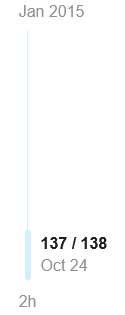
To jump quickly to the bottom of a thread, just click on the time showing at the bottom of the blue scroll line to the right - e.g. for me this thread is currently showing 137/138 (a total of 138 posts in this thread), under that Oct 24 (the last previous post), and below the blue line “2h”. Clicking on that “2h” will jump you to the most recent post.
To start a new thread, you need to click on the ‘New Topic’ button, or to respond with your own comment in a thread, you use the Reply button. There is one with each individual comment, but also a general one below the last post. If you’re not seeing those, then check that you’re logged in. You should see your avatar in a circle at the top. If you see ‘Log in’ then you’re not logged in and you need to do that first.
Thanks Deborah… I don’t seem to get the 2hr button under my scroll line. Maybe an iPhone issue.